

UX Case Study: TruLens App
AI-generated misinformation spreads rapidly on social media due to engagement-focused recommendation systems.
TruLens helps users identify potential AI-generated content by providing real-time warnings while they browse.
Role: UX Designer
Tools: Figma
Duration: 2 months
“How can we support Instagram users in recognizing and critically interpreting AI-generated visual content?”
User Problem
There's so much AI content in social media posts that it's hard for people to tell which posts were generated by AI when they're browsing.
AI-generated images or videos can look convincing, leading users to share them without much thinking.
The platform don’t really tells you what's suspicious.
Why it matters
Sharing without verifying can cause misinformation to spread faster.
Many users do not have the technical knowledge to identify AI-generated media on their own.
Helping users recognize AI-generated content can improve media literacy and support more informed online behavior.
How our app helps
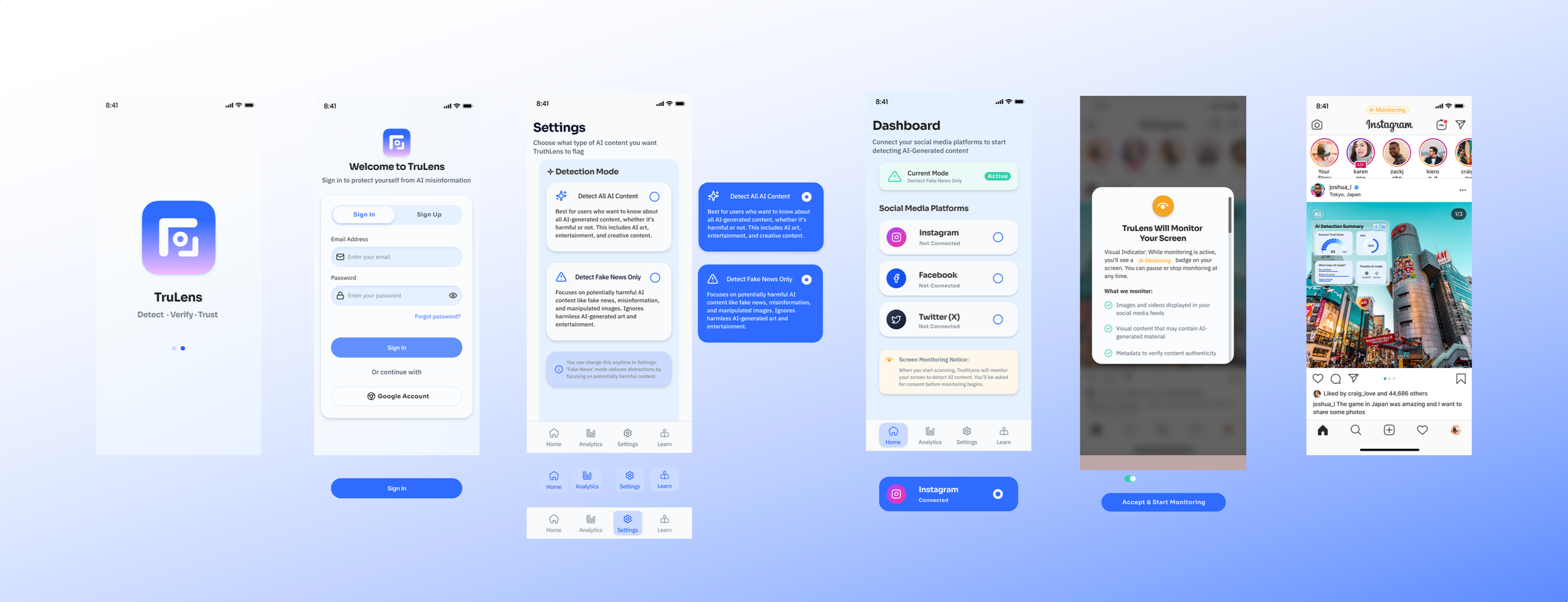
Users can tap to see the reason and decide whether to trust or share.
Connects users to a Learn page to improve AI literacy.
Displays a trust score and visual analysis overlay for flagged content.
Provides explanations about AI models or synthetic media indicators.
Ideation
Design Process
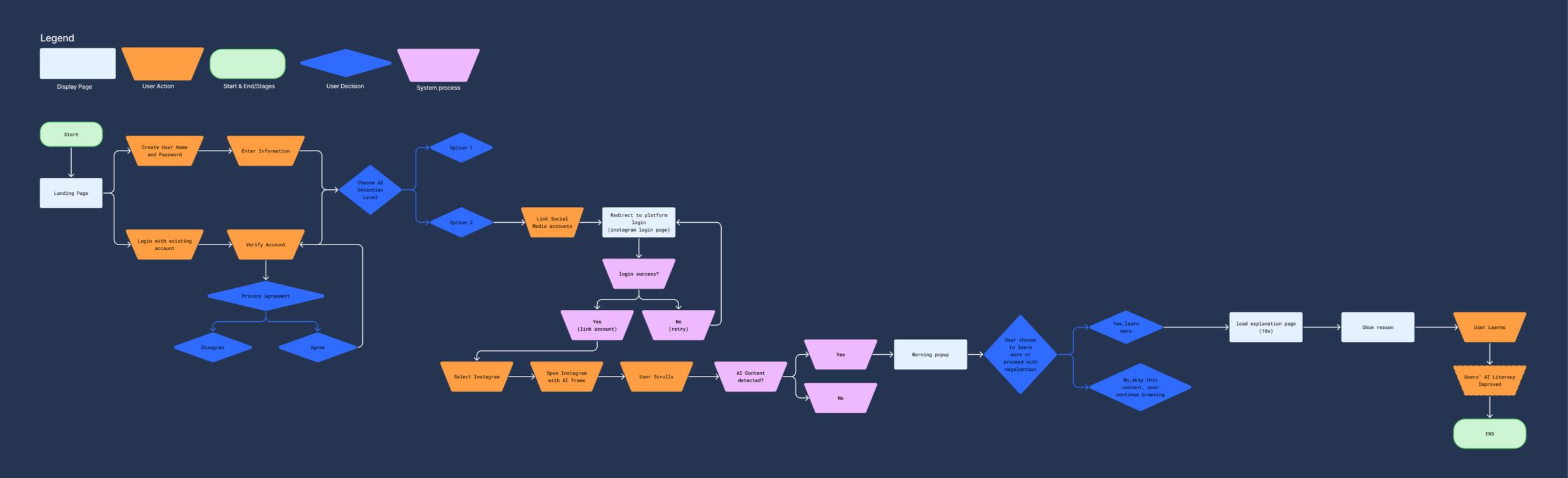
Interaction Map
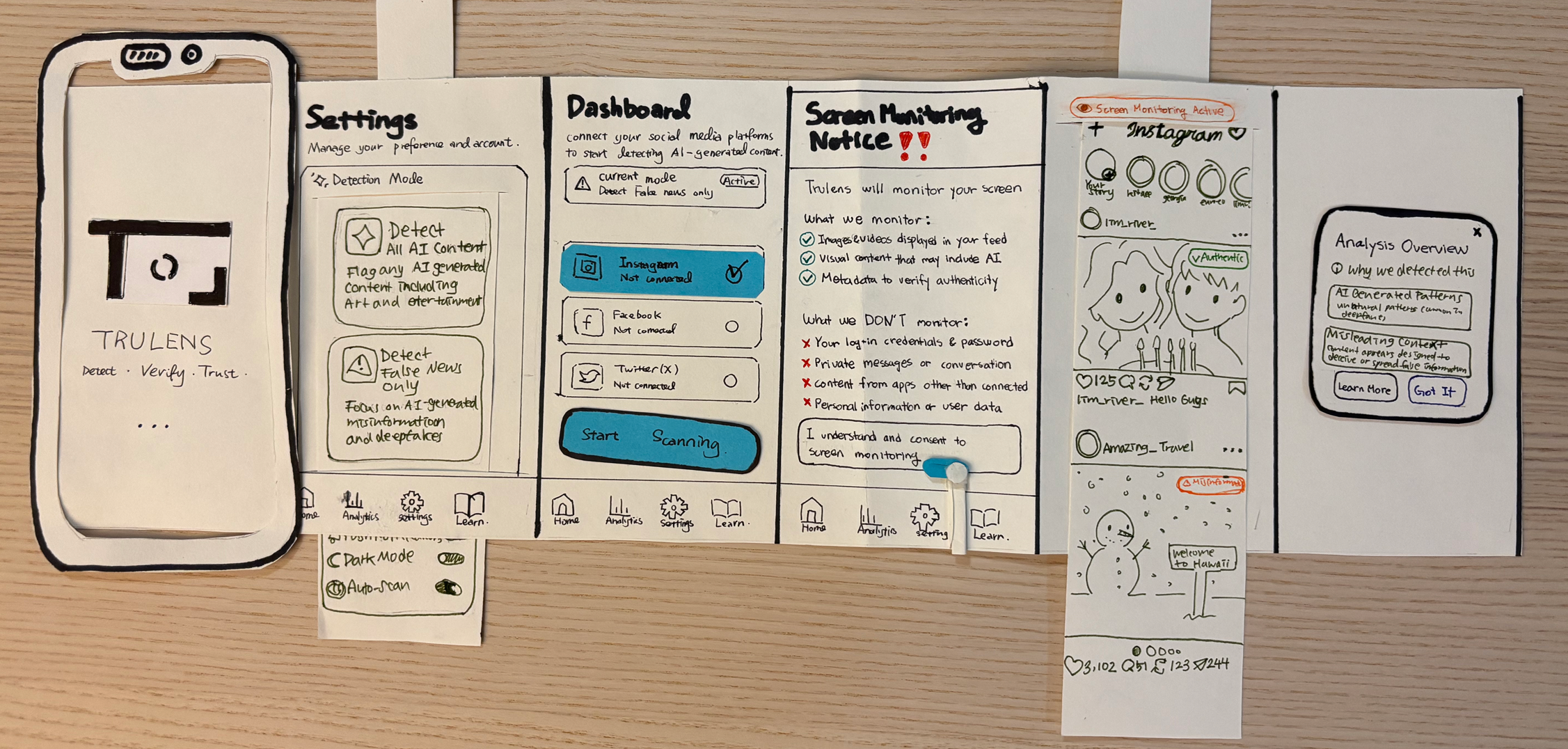
Paper Prototype
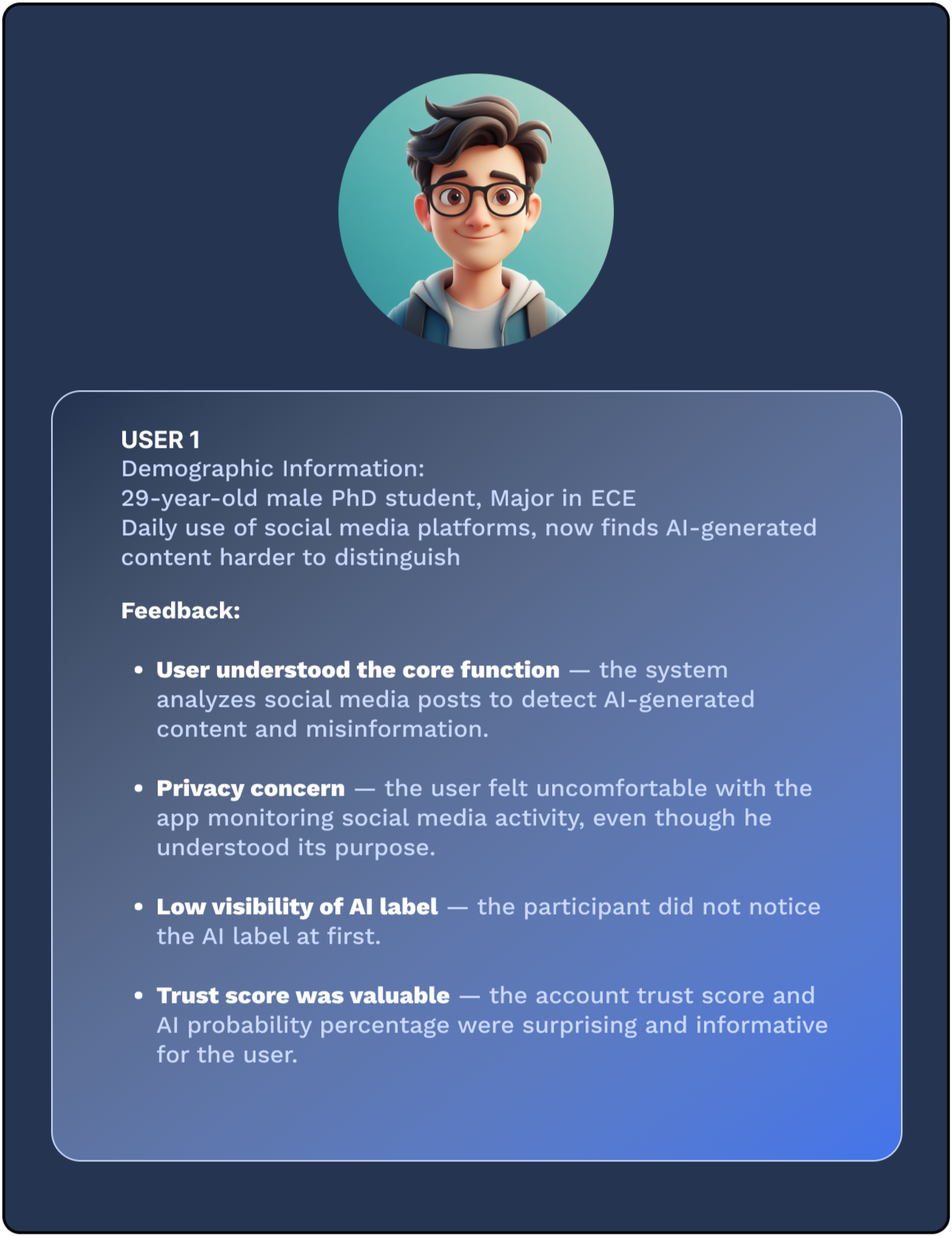
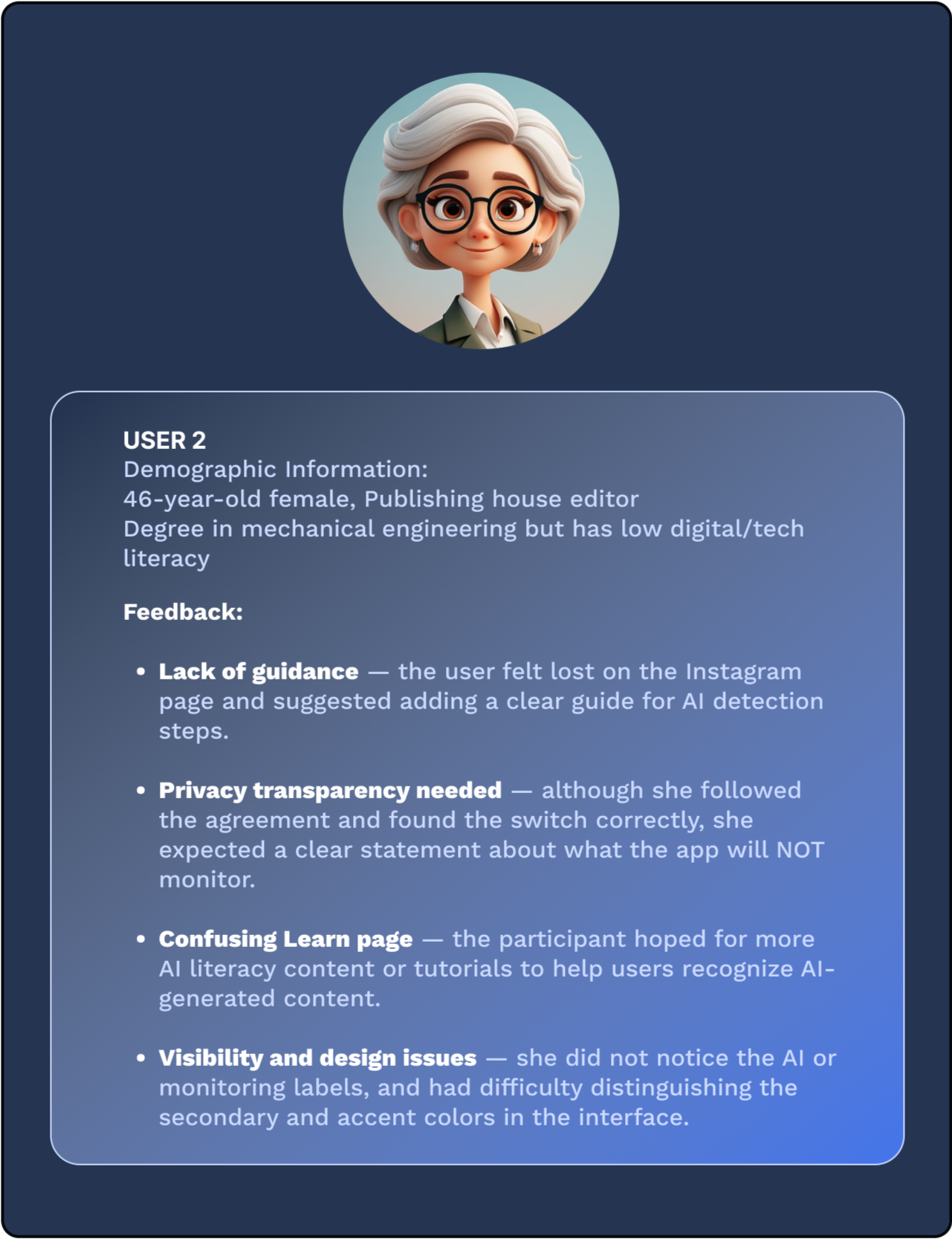
User Testing Profile & Feedback
Improvements
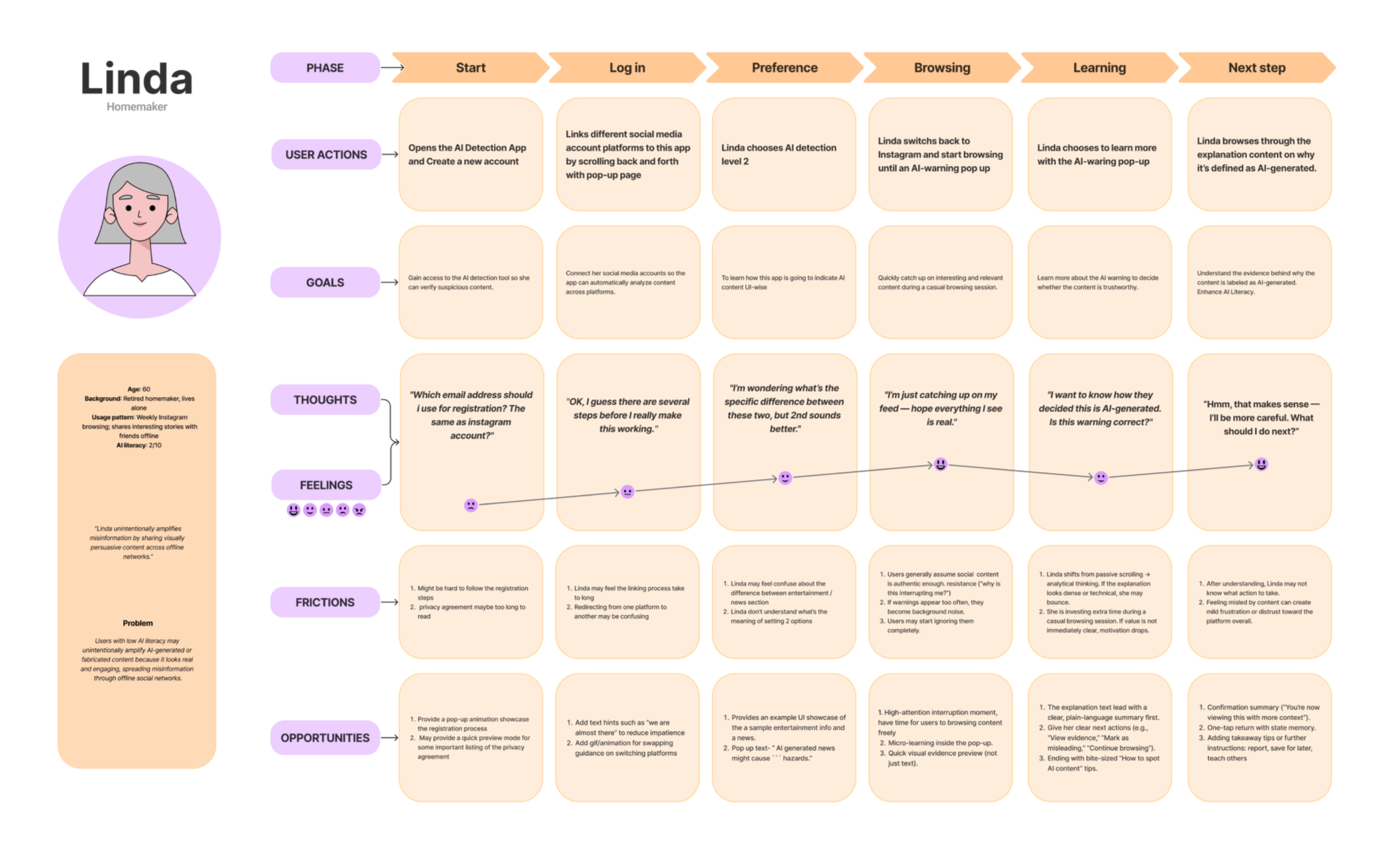
Persona:
Linda — Low AI Literacy Social Sharer
Age: 60 Retired homemaker
Usage: Browses Instagram weekly to view news, reels, and trending posts
Goal: Stay socially connected and share interesting content with friends
Challenge: Often assumes visually realistic posts are authentic
Risk: May unintentionally spread AI-generated or misleading content offline
Challenge
First explored redesigning the Instagram interface with AI-generated content labels
Identified a limitation: platforms may avoid labeling content because it could reduce engagement
Shifted our approach toward a standalone application (TruLens)
Allows users to independently evaluate social media content without changing the platform itself
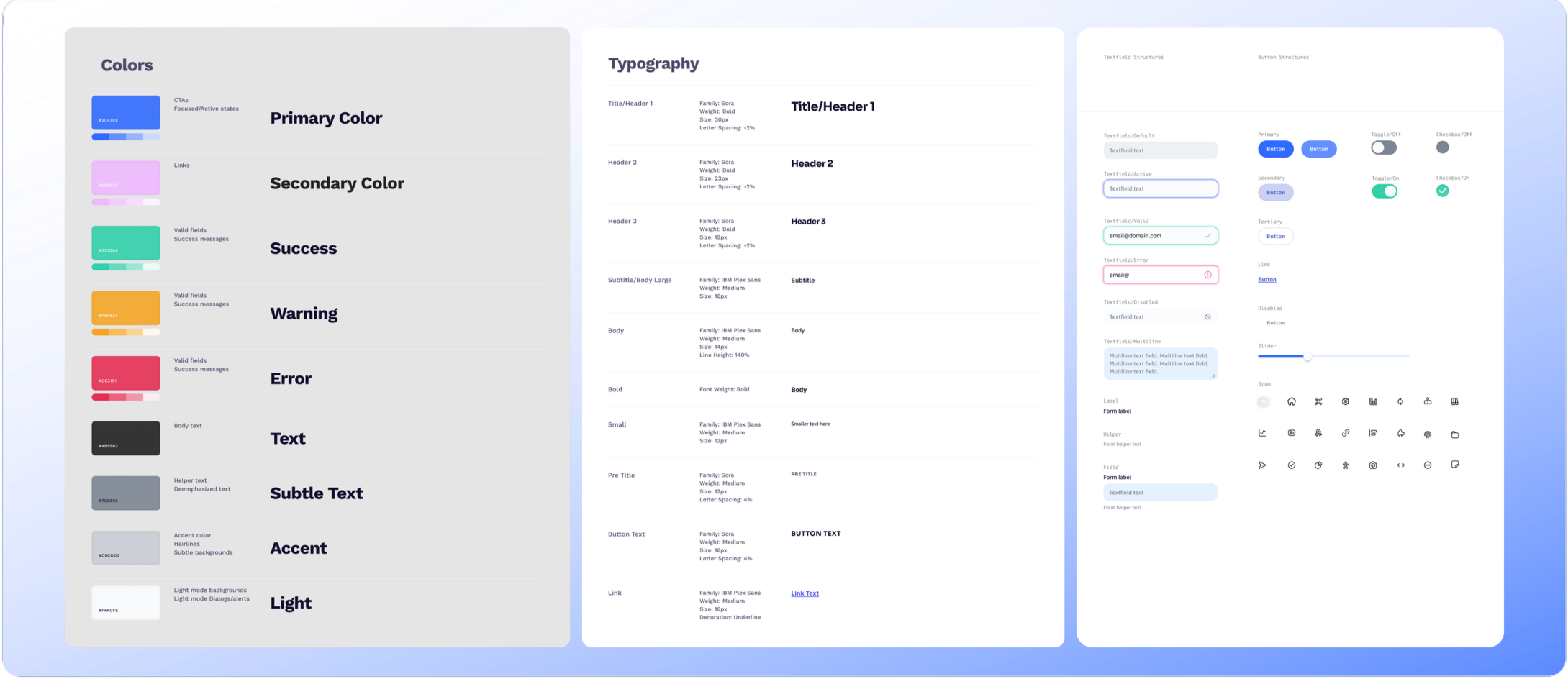
UI System
Questions from Testers
How many post has been scanned and detected?
How to go back and turn back on everything?Select both of the AI detection settings? difference?
What about posting? Does it detect the thing we post?
AI misinformation or general misinformation?
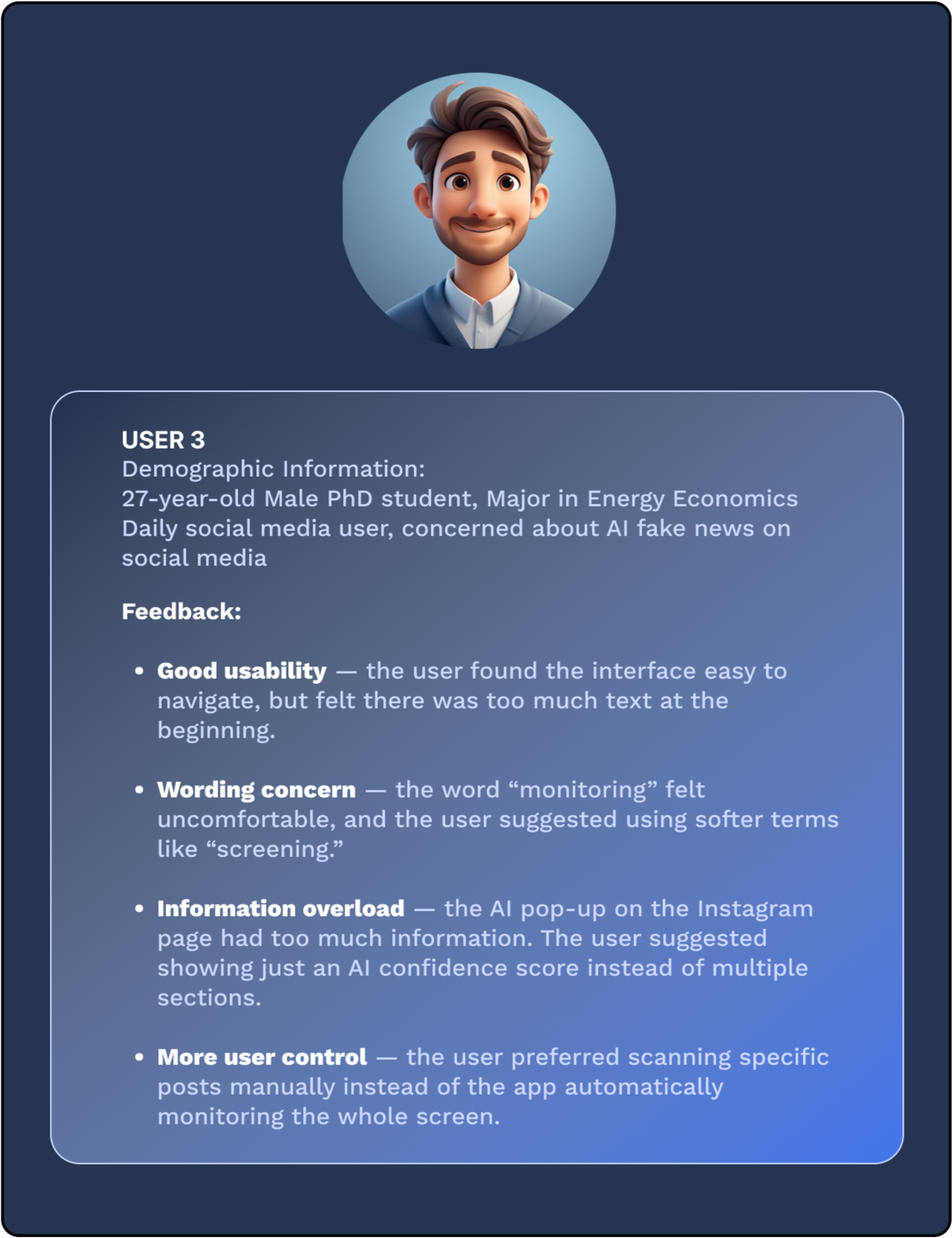
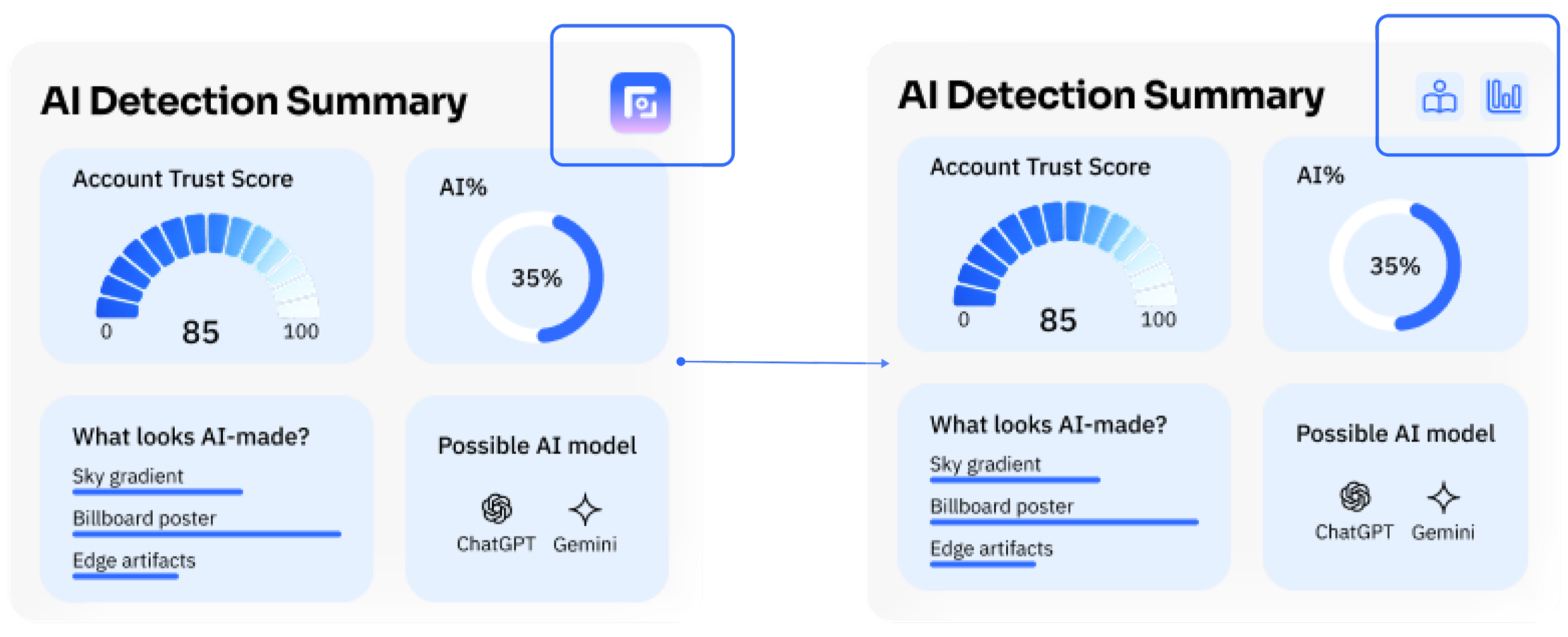
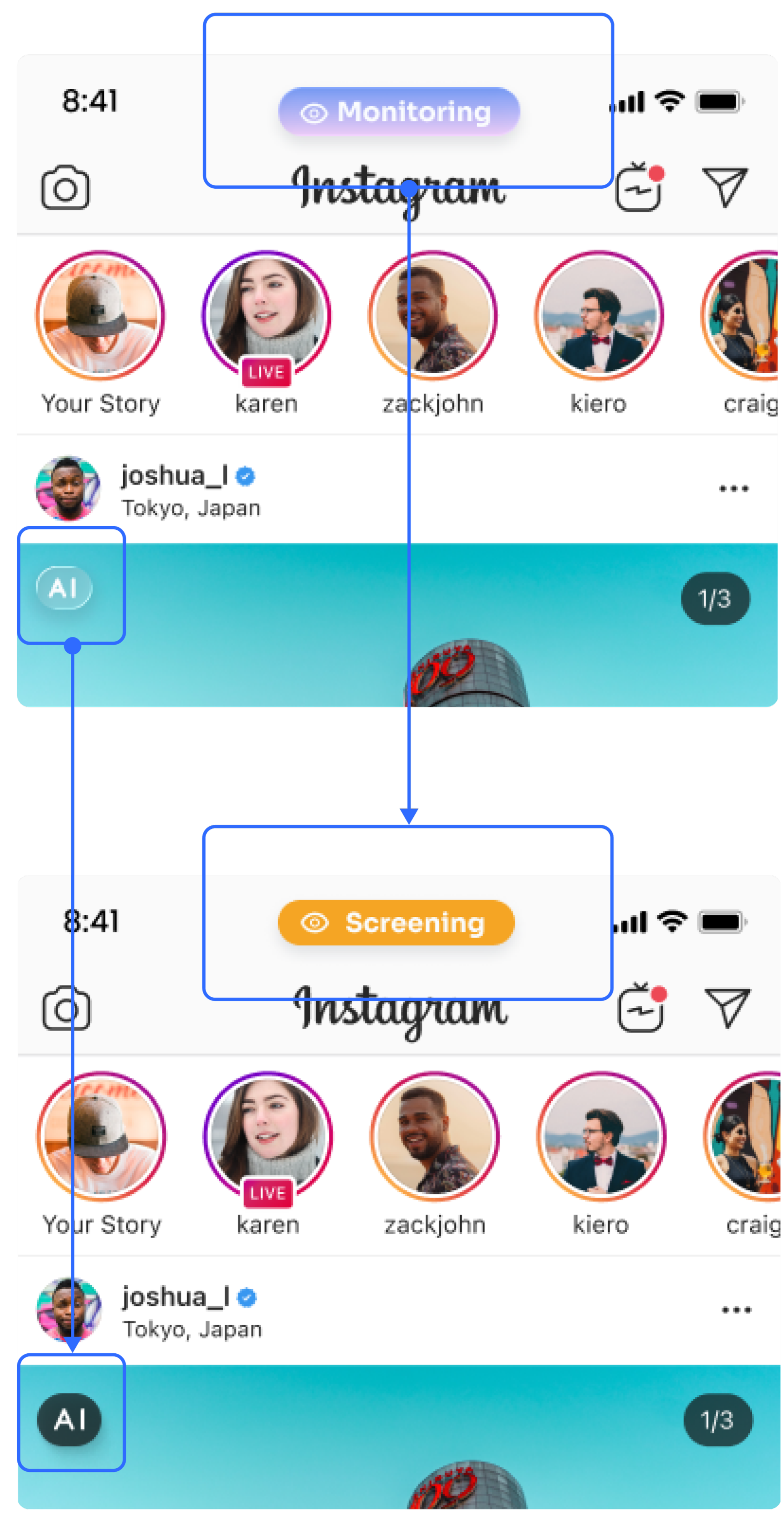
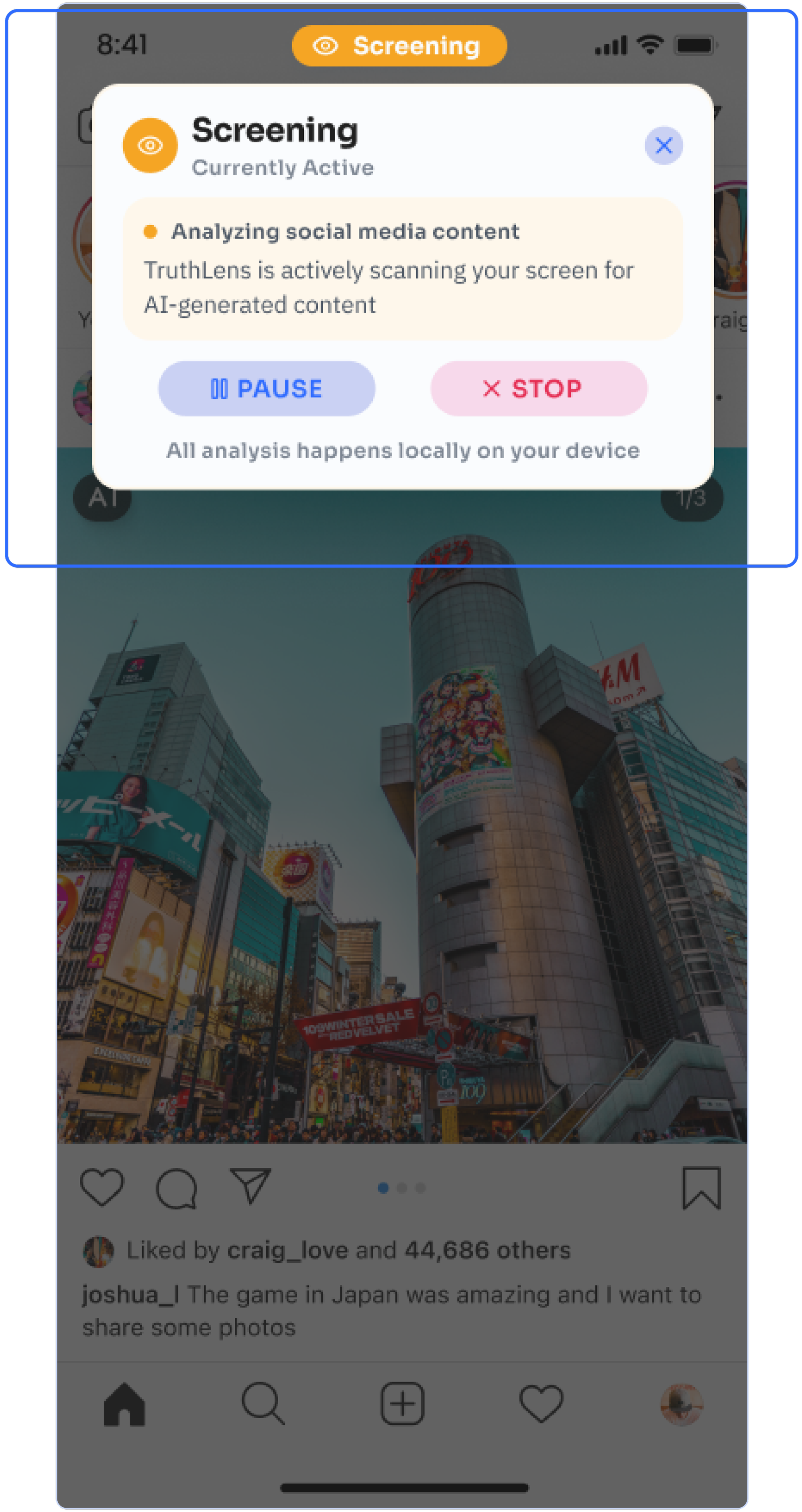
Based on the testing results, couple design improvements were made for better usability.
[Monitoring] to [Screening]
More visible AI Detection button
More convenient drop-down menu to stop screening
Simpler steps to navigate to [Learning] page & [Analysis] page
Final Prototype
This project was part of course LMC 6313: Principle of Interaction Design. Taught by Dr. Heidi Biggs
Team: XueFei Wu, Hyunha Lim, Liuming Guo, Kayla Minji Kim